Sonkei
Sonkei
Overview
Sonkei helps martial artists find training partners and connect through shared goals, skill levels, and availability.
Sonkei helps martial artists find training partners and connect through shared goals, skill levels, and availability.
Sonkei helps martial artists find training partners and connect through shared goals, skill levels, and availability.
Sonkei helps martial artists find training partners and connect through shared goals, skill levels, and availability.
Date
3 weeks (2021)
Project Type
Social Platform, UX/UI
Role
Product Designer
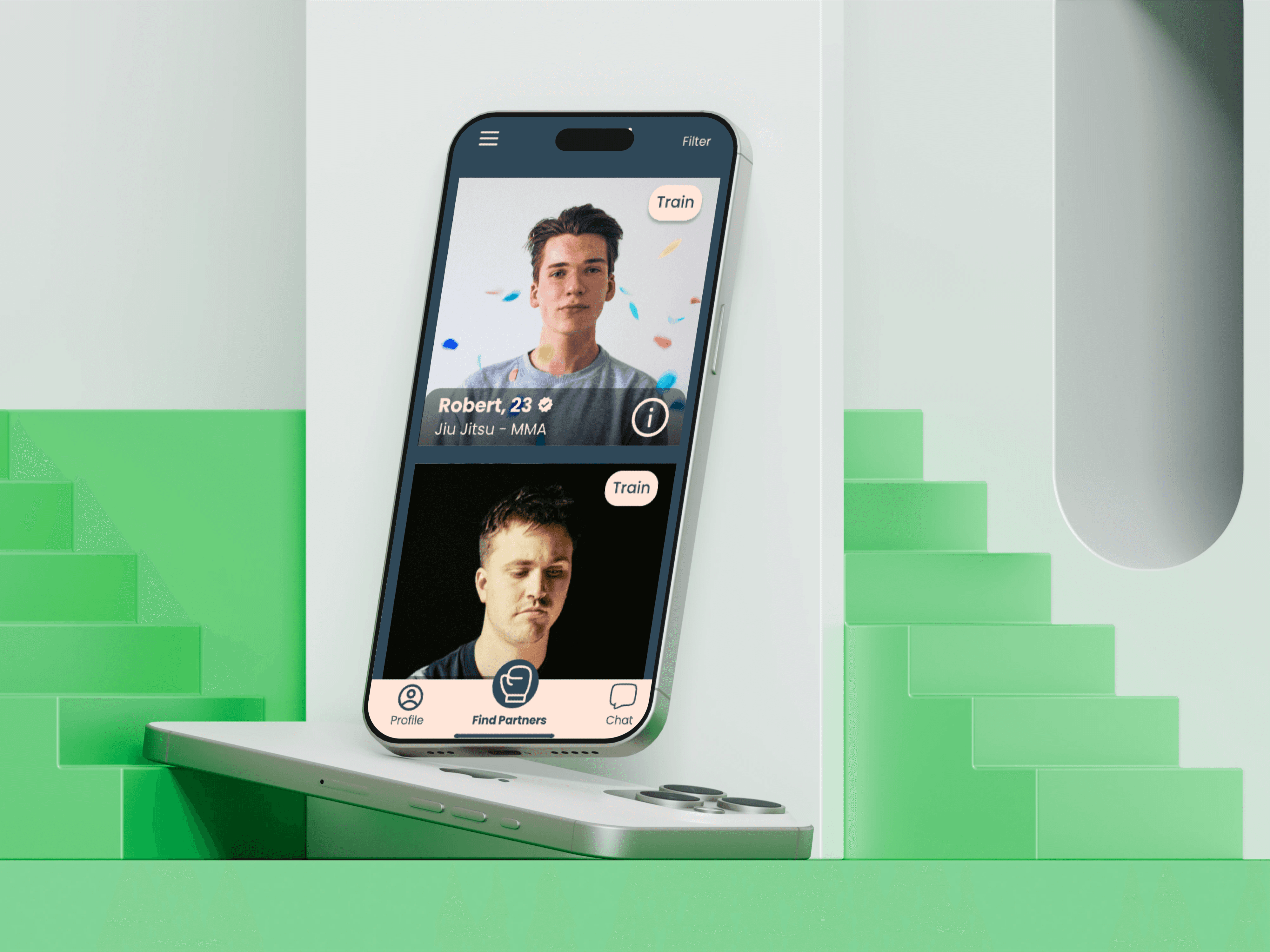
Context
Martial artists often struggle to find partners outside their gym or with matching schedules. The app needed a clean and easy-to-use experience that motivated regular use and quick connections.
Martial artists often struggle to find partners outside their gym or with matching schedules. The app needed a clean and easy-to-use experience that motivated regular use and quick connections.
Martial artists often struggle to find partners outside their gym or with matching schedules. The app needed a clean and easy-to-use experience that motivated regular use and quick connections.
Martial artists often struggle to find partners outside their gym or with matching schedules. The app needed a clean and easy-to-use experience that motivated regular use and quick connections.
Skills & Tools
Figma, UX/UI, Prototyping
Figma, UX/UI, Prototyping
Figma, UX/UI, Prototyping
Figma, UX/UI, Prototyping
Platforms
Mobile


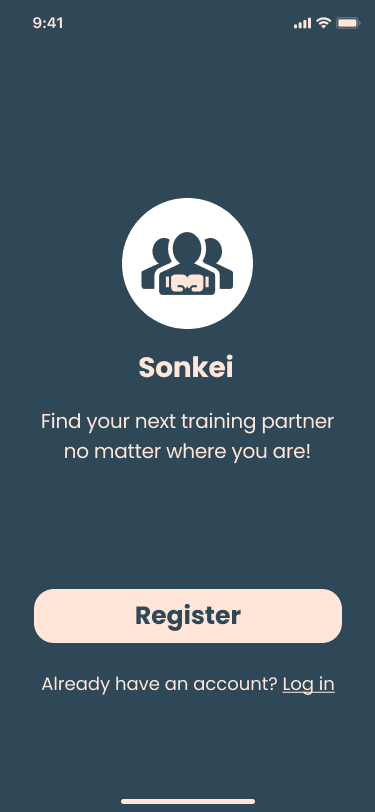
Onboarding - Sign Up
Initial entry point
Brand introduction
Account creation initiation
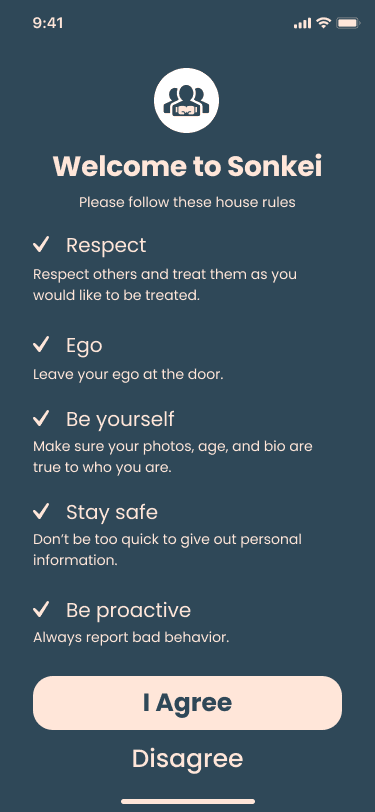
Onboarding - House Rules
Community standards agreement
Safety and etiquette education
Cultural alignment
Problem Statement
Finding compatible training partners is difficult, and existing tools (IG, FB groups, gym chats) are unreliable and unstructured.
Finding compatible training partners is difficult, and existing tools (IG, FB groups, gym chats) are unreliable and unstructured.
Finding compatible training partners is difficult, and existing tools (IG, FB groups, gym chats) are unreliable and unstructured.
Finding compatible training partners is difficult, and existing tools (IG, FB groups, gym chats) are unreliable and unstructured.
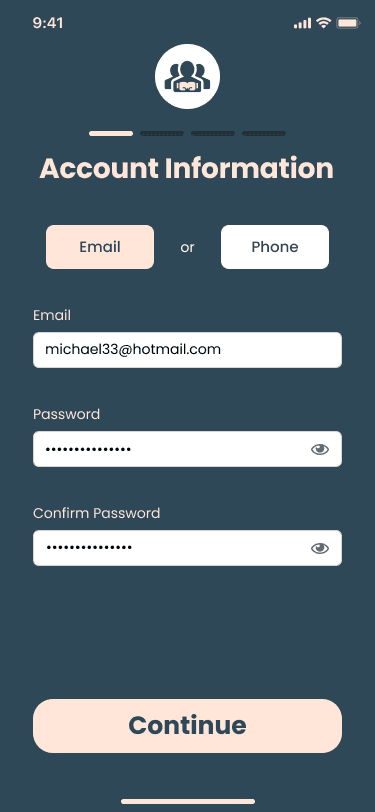
Onboarding - Email
Authentication method selection
Credential setup
Account security
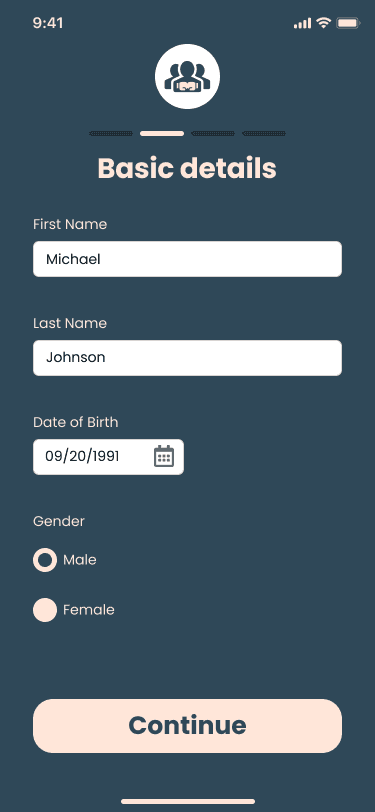
Onboarding - Basic Details
Personal identity information
Age verification
Gender identification
Solution
I designed a simple, onboarding-friendly mobile experience that allows users to browse partners, match based on goals/availability, and message seamlessly. Clear visual hierarchy and martial arts-inspired aesthetics help create identity and usability.
I designed a simple, onboarding-friendly mobile experience that allows users to browse partners, match based on goals/availability, and message seamlessly. Clear visual hierarchy and martial arts-inspired aesthetics help create identity and usability.
I designed a simple, onboarding-friendly mobile experience that allows users to browse partners, match based on goals/availability, and message seamlessly. Clear visual hierarchy and martial arts-inspired aesthetics help create identity and usability.
I designed a simple, onboarding-friendly mobile experience that allows users to browse partners, match based on goals/availability, and message seamlessly. Clear visual hierarchy and martial arts-inspired aesthetics help create identity and usability.
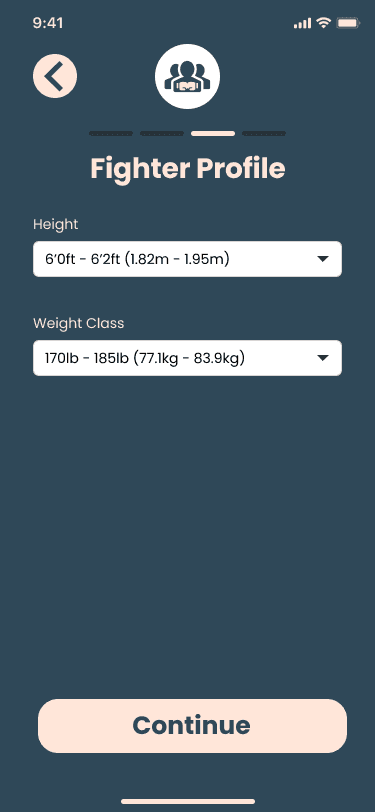
Onboarding - Fighter Profile 1
Physical attributes logging
Weight class categorization
Matching parameter definition
Process
Defined core user flows (discover, match, message)
Created clean UI patterns and visual identity
Designed streamlined onboarding experience
Built functional prototypes
Defined core user flows (discover, match, message)
Created clean UI patterns and visual identity
Designed streamlined onboarding experience
Built functional prototypes
Defined core user flows (discover, match, message)
Created clean UI patterns and visual identity
Designed streamlined onboarding experience
Built functional prototypes
Defined core user flows (discover, match, message)
Created clean UI patterns and visual identity
Designed streamlined onboarding experience
Built functional prototypes
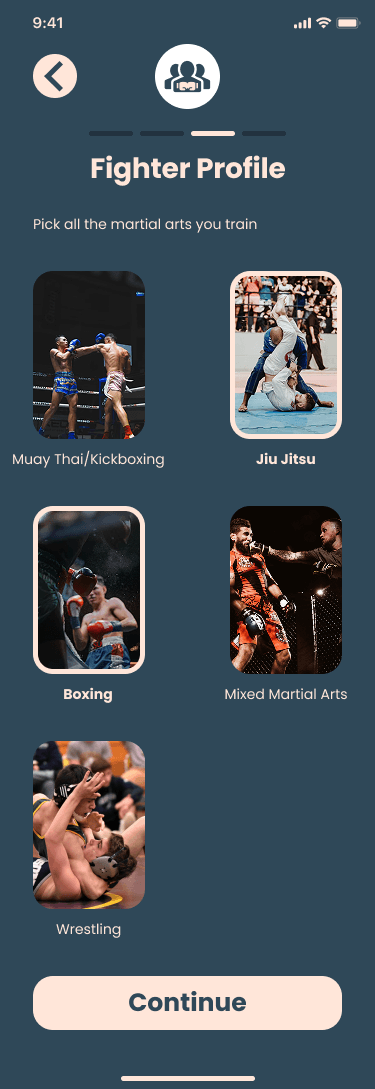
Onboarding - Fighter Profile 2
Discipline selection
Martial arts background
Skillset tagging
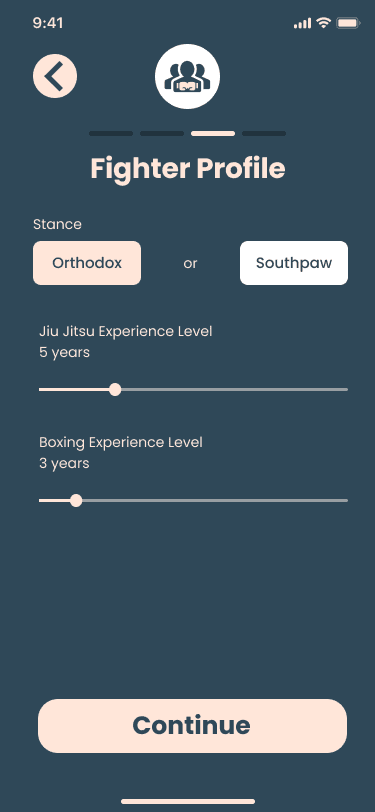
Onboarding - Fighter Profile 3
Combat stance specification
Experience level quantification
Technical proficiency mapping
Results
Intuitive partner discovery
Simpler matching and messaging
Stronger sense of brand identity
Intuitive partner discovery
Simpler matching and messaging
Stronger sense of brand identity
Intuitive partner discovery
Simpler matching and messaging
Stronger sense of brand identity
Intuitive partner discovery
Simpler matching and messaging
Stronger sense of brand identity
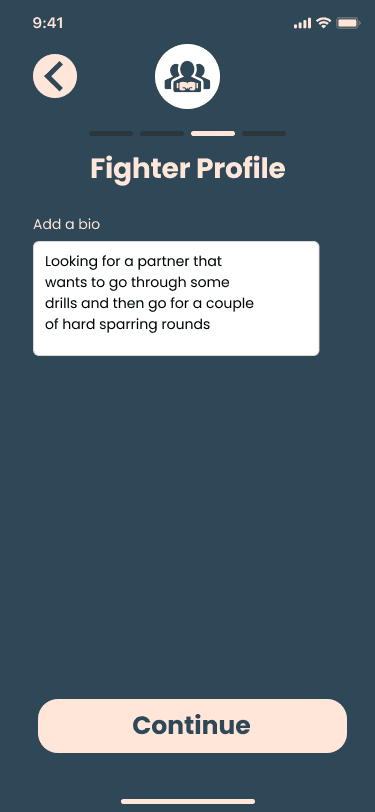
Onboarding - Fighter Profile 4
Training intent communication
Personalized bio creation
Sparring preference setting
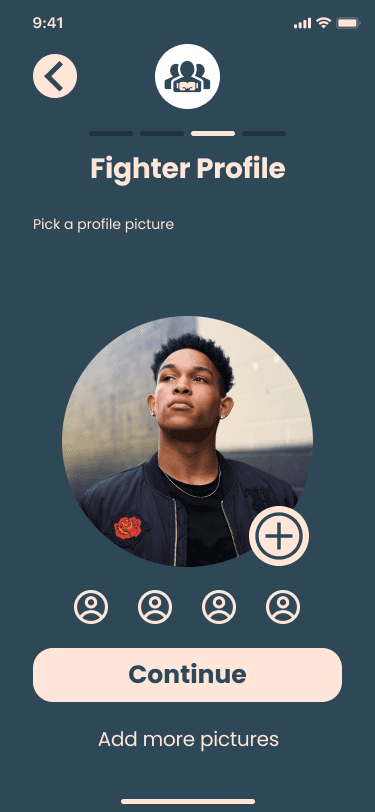
Onboarding - Profile Picture
Visual identity creation
Gallery management
Humanizing the profile
Key Wins
Clear flows
Clean UI
Easy onboarding
Strong visual identity
Clear flows
Clean UI
Easy onboarding
Strong visual identity
Clear flows
Clean UI
Easy onboarding
Strong visual identity
Clear flows
Clean UI
Easy onboarding
Strong visual identity
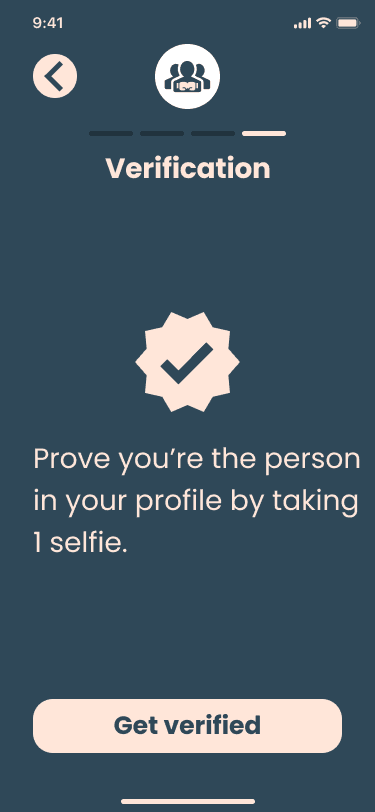
Onboarding - Verification
Identity authentication
Profile integrity check
Community safety validation
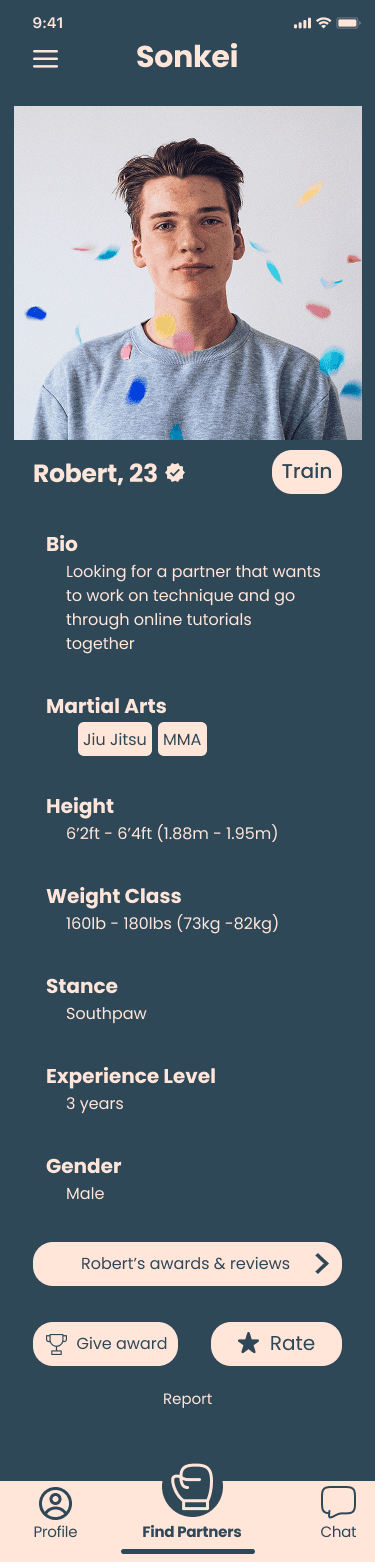
Matching Criteria
Partner discovery and review
Compatibility assessment
Reputation and feedback viewing
UI Refresh
As I advanced in my design career, I realized my older designs didn’t reflect my current skills in visual hierarchy, typography, color, and spacing. To showcase my growth, I refined some key screens by:
Enhancing Visual Aesthetics - Improved typography, spacing, and color harmony.
Strengthening Usability - Clearer navigation, better CTAs, and improved readability.
Applying Design Best Practices - More consistent grids, refined corner radiuses, and a polished UI system.
These updates demonstrate how my design knowledge and Figma expertise have evolved, leading to cleaner, more effective interfaces.
As I advanced in my design career, I realized my older designs didn’t reflect my current skills in visual hierarchy, typography, color, and spacing. To showcase my growth, I refined some key screens by:
Enhancing Visual Aesthetics - Improved typography, spacing, and color harmony.
Strengthening Usability - Clearer navigation, better CTAs, and improved readability.
Applying Design Best Practices - More consistent grids, refined corner radiuses, and a polished UI system.
These updates demonstrate how my design knowledge and Figma expertise have evolved, leading to cleaner, more effective interfaces.
As I advanced in my design career, I realized my older designs didn’t reflect my current skills in visual hierarchy, typography, color, and spacing. To showcase my growth, I refined some key screens by:
Enhancing Visual Aesthetics - Improved typography, spacing, and color harmony.
Strengthening Usability - Clearer navigation, better CTAs, and improved readability.
Applying Design Best Practices - More consistent grids, refined corner radiuses, and a polished UI system.
These updates demonstrate how my design knowledge and Figma expertise have evolved, leading to cleaner, more effective interfaces.
As I advanced in my design career, I realized my older designs didn’t reflect my current skills in visual hierarchy, typography, color, and spacing. To showcase my growth, I refined some key screens by:
Enhancing Visual Aesthetics - Improved typography, spacing, and color harmony.
Strengthening Usability - Clearer navigation, better CTAs, and improved readability.
Applying Design Best Practices - More consistent grids, refined corner radiuses, and a polished UI system.
These updates demonstrate how my design knowledge and Figma expertise have evolved, leading to cleaner, more effective interfaces.
PORTFOLIO
CHECK OUT SOME MORE
CHECK OUT SOME MORE
CHECK OUT SOME MORE
CHECK OUT SOME MORE
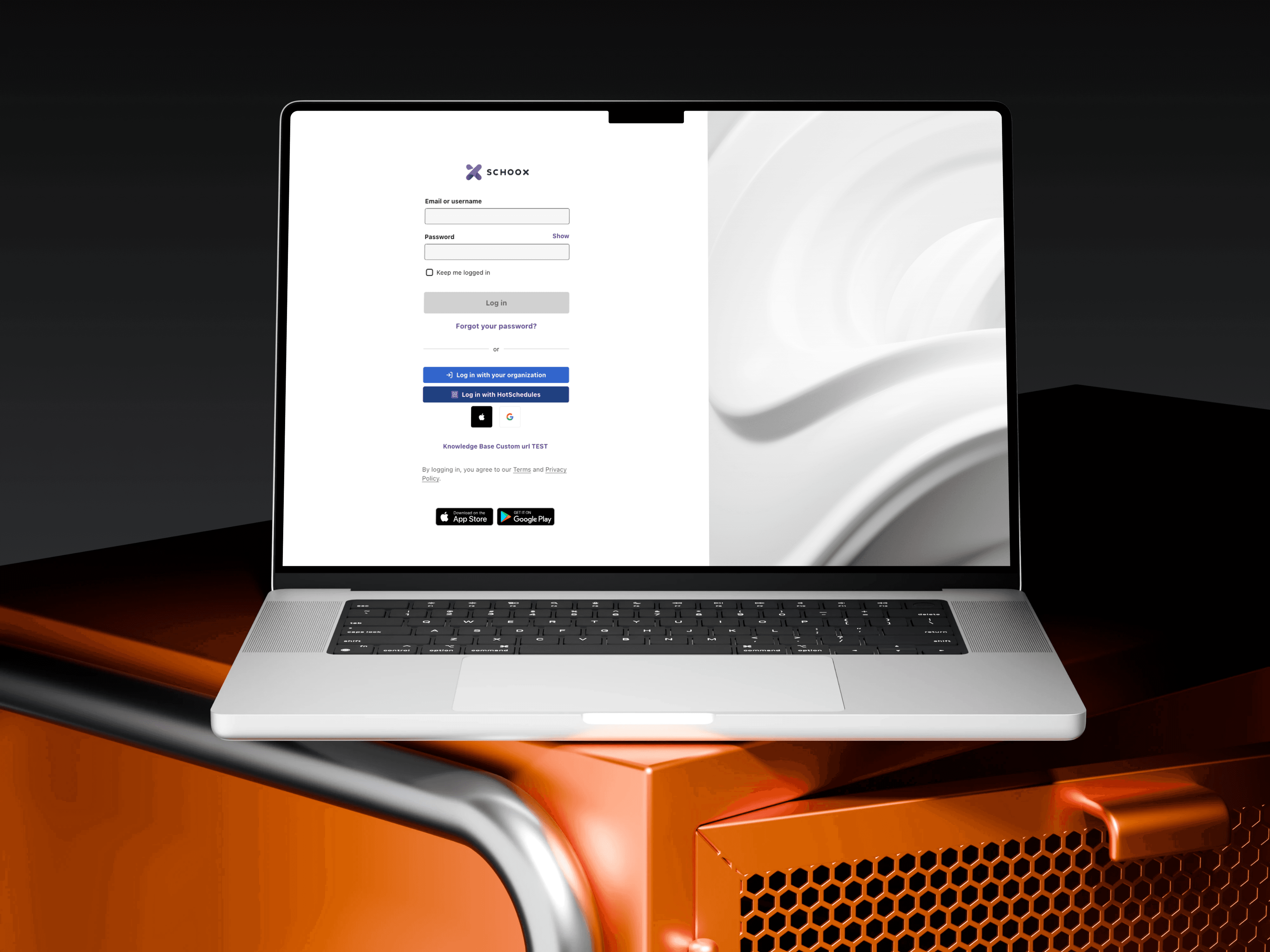
EdTech Redesign
EdTech Redesign
EdTech Redesign
February 2023 - May 2025
Web & Mobile
UX/UI, Web Enterprise Software
EdTech Redesign
EdTech Redesign
EdTech Redesign
February 2023 - May 2025
Web & Mobile
UX/UI, Web Enterprise Software
EdTech Redesign
EdTech Redesign
EdTech Redesign
February 2023 - May 2025
Web & Mobile
UX/UI, Web Enterprise Software
EdTech Redesign
EdTech Redesign
EdTech Redesign
February 2023 - May 2025
Web & Mobile
UX/UI, Web Enterprise Software
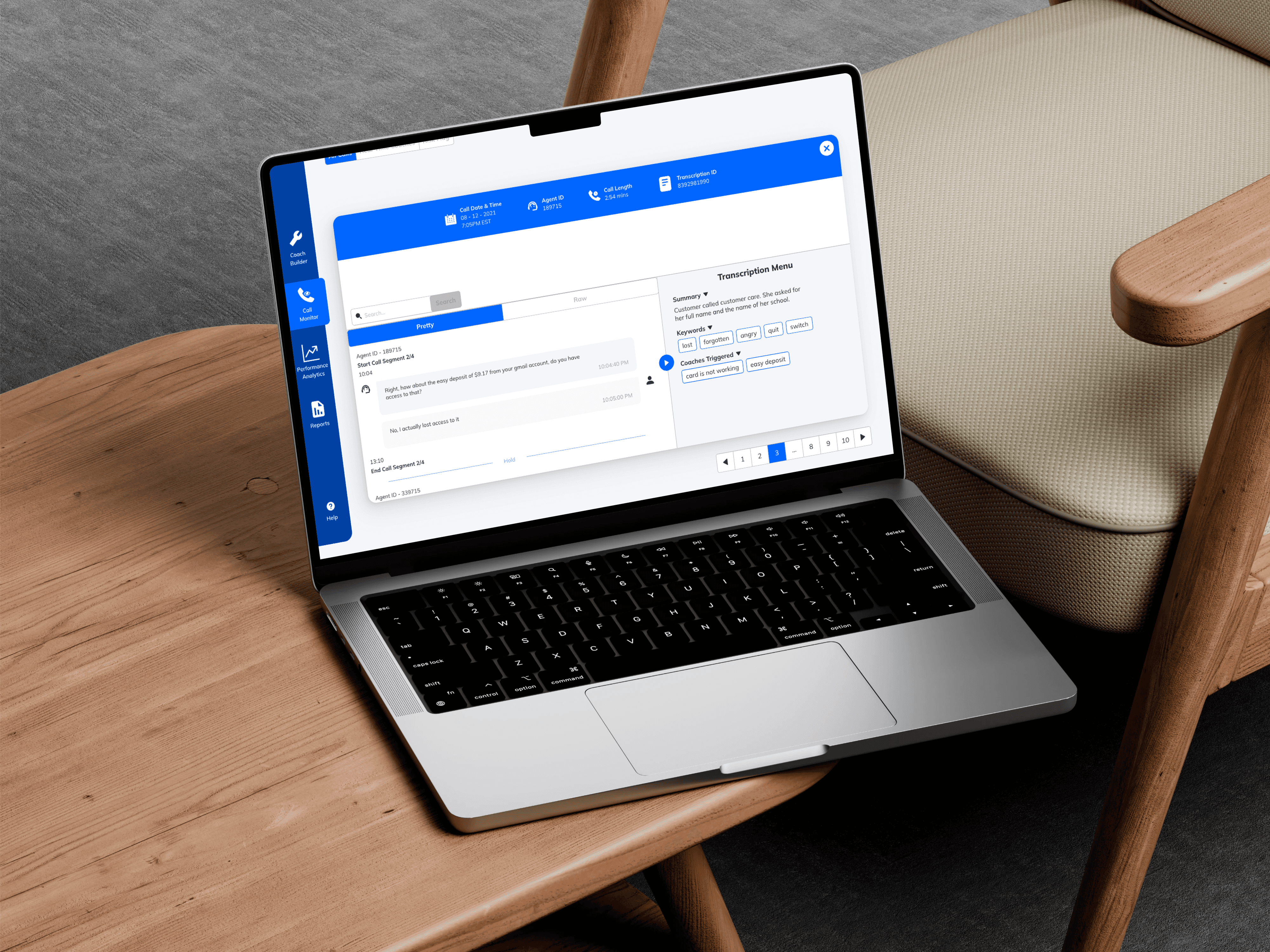
AI Voice Redesign
AI Voice Redesign
AI Voice Redesign
4 weeks (2022)
Web
UX/UI, Internal Tool, AI Interface
AI Voice Redesign
AI Voice Redesign
AI Voice Redesign
4 weeks (2022)
Web
UX/UI, Internal Tool, AI Interface
AI Voice Redesign
AI Voice Redesign
AI Voice Redesign
4 weeks (2022)
Web
UX/UI, Internal Tool, AI Interface
AI Voice Redesign
AI Voice Redesign
AI Voice Redesign
4 weeks (2022)
Web
UX/UI, Internal Tool, AI Interface
HAVE A PROJECT
IN MIND ?